SEO Settings in Framer
SEO doesn't have to be complicated. Framer simplifies the essentials into clear settings you can configure in minutes.
Page SEO vs CMS SEO
Page SEO — Set for static pages individually (homepage, about, services)
CMS SEO — Set once as a template, applies to all blog posts and case studies automatically
Understand this distinction and you won't waste time configuring the same thing multiple times.
Title Tags That Work
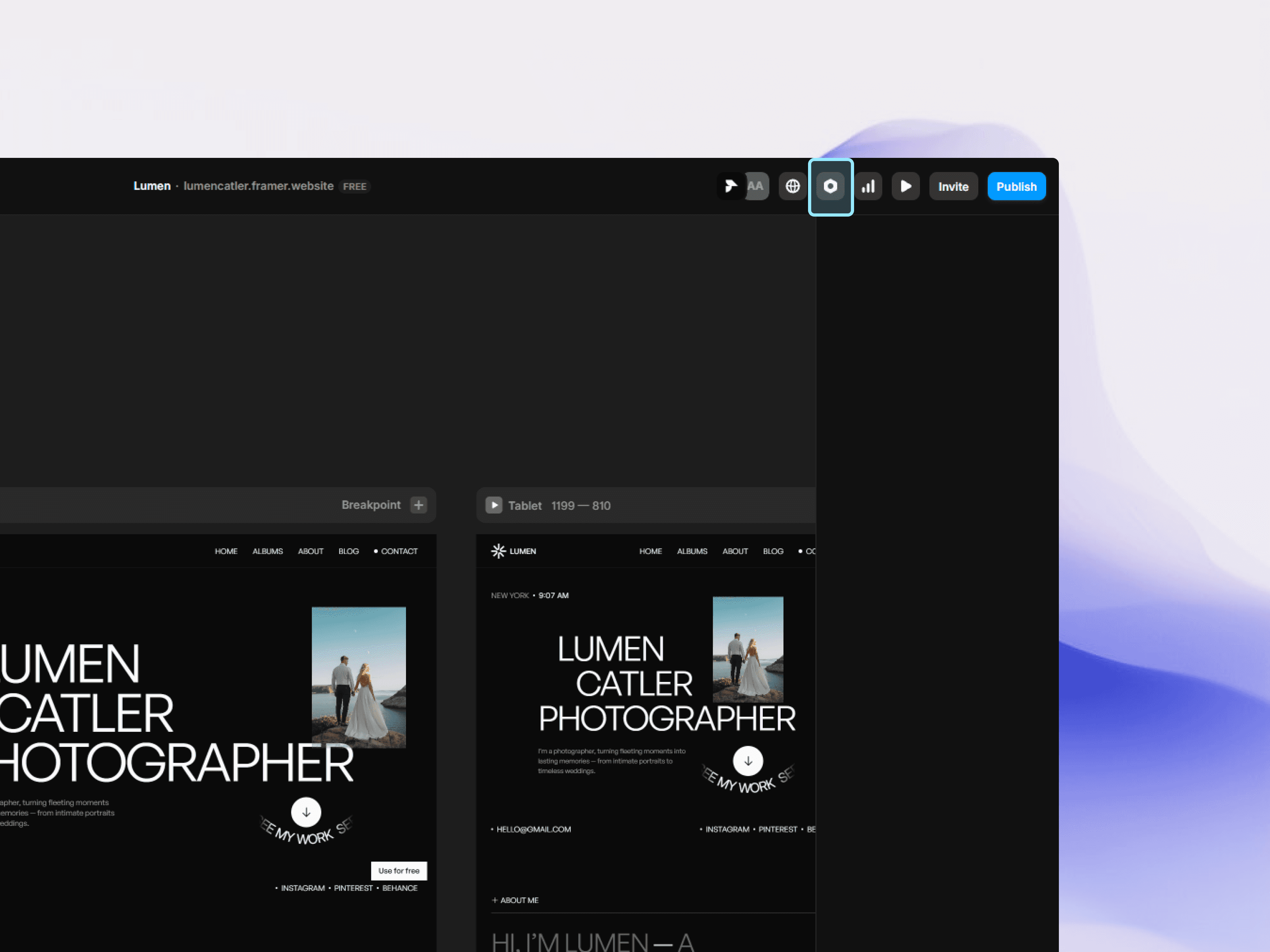
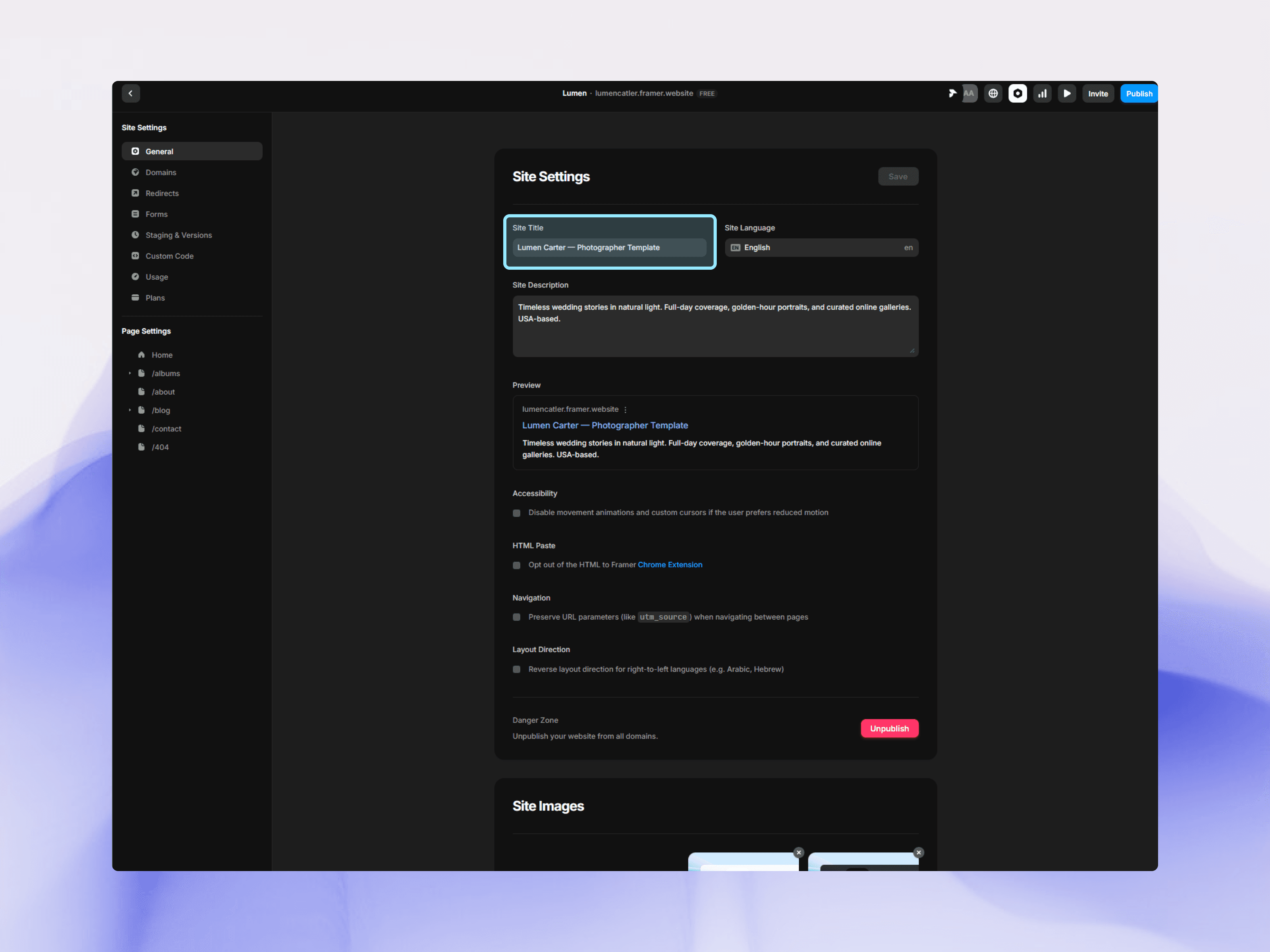
Update site title here
Most important SEO element. Appears in search results, browser tabs, and social previews.
Effective titles:
Under 60 characters (won't get cut off)
Include relevant keywords
Be specific
Examples:
Homepage: "Studio Name – Modern Web Design & Development"
Service page: "Brand Strategy Services – Studio Name"
Blog post: "How to Choose a Framer Template: Complete Guide"
For static pages: Set in page settings For CMS items: Bind to title field (auto-generates from post title)
Meta Descriptions People Click
These don't affect rankings directly, but they affect click-through rates dramatically.
120-160 characters that preview what the page offers:
Good: "Learn the exact process we use to create websites that convert visitors into customers. See our portfolio and schedule a free consultation."
Bad: "Welcome to our website. We offer various services."
For CMS content, bind description to your excerpt field. Write compelling 120-160 character summaries for each post.
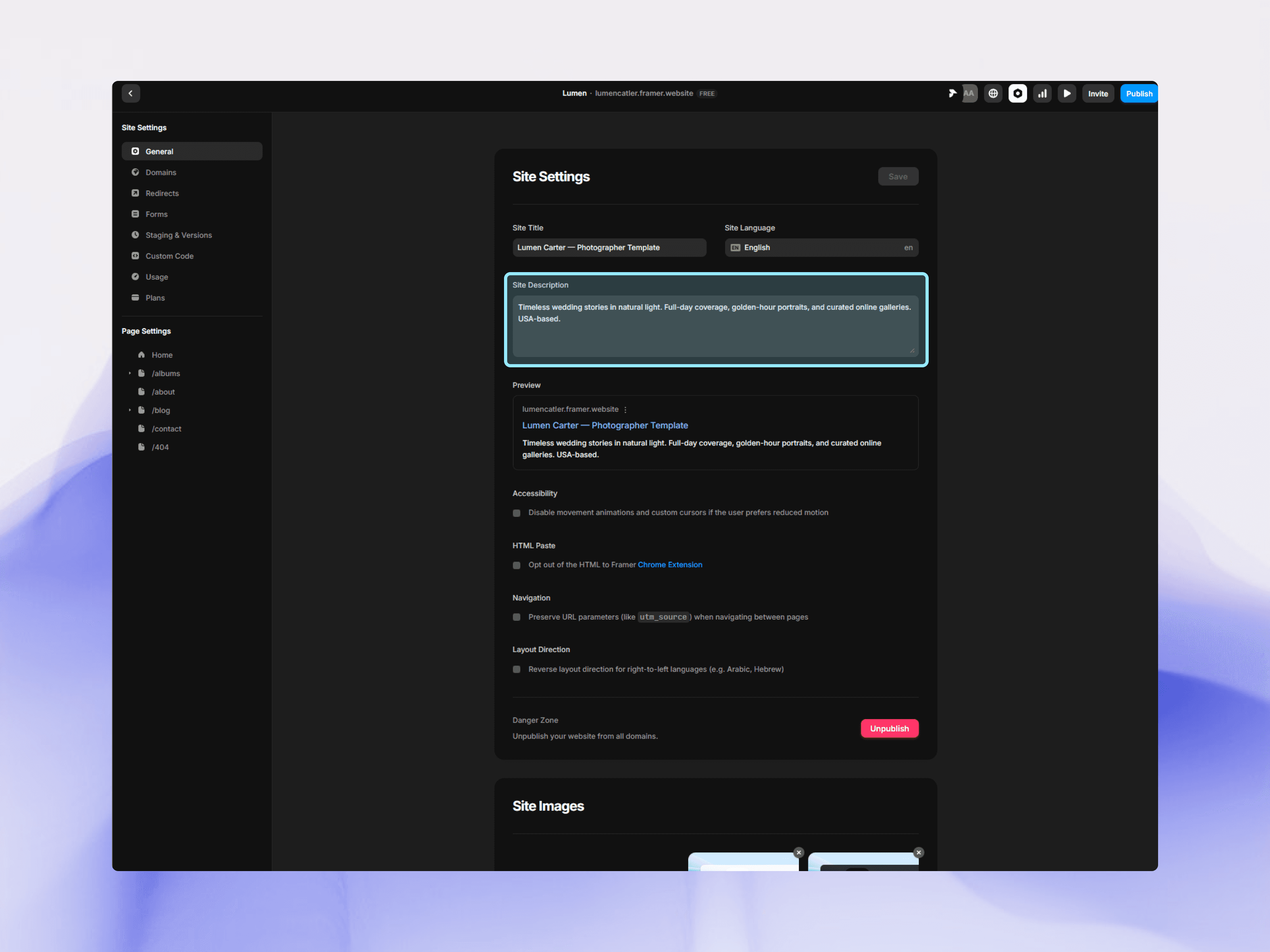
Site/Meta Description
Site Images
Controls what preview image appears when someone shares your page on social media.
Without Site images, platforms pick random images—often logos or unrelated photos.
Set a dedicated Site image:
Ideal size: 1200x630px
Homepage/key pages: Create custom branded images
Blog posts: Use featured image
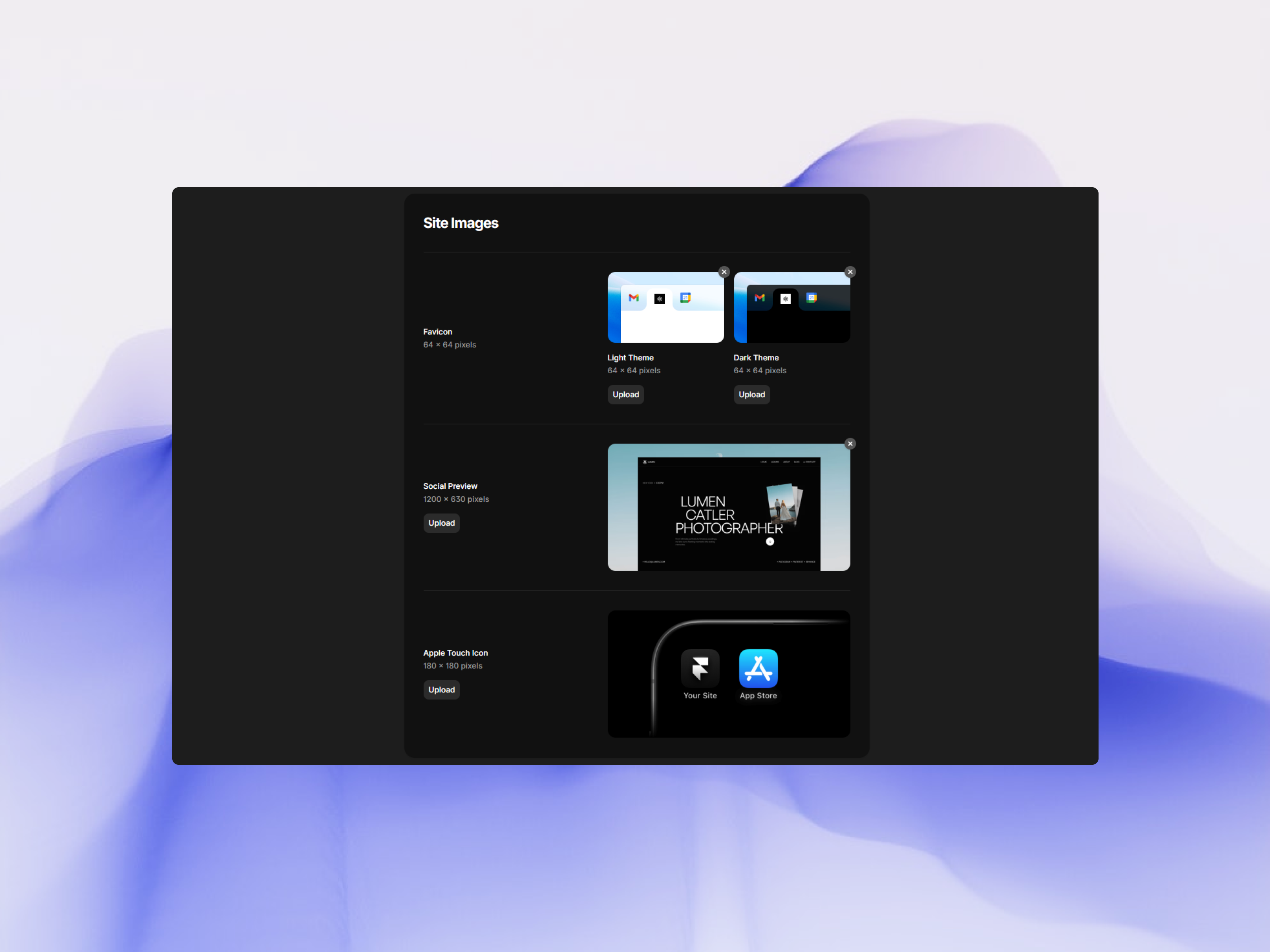
Site Images
URL Structure
Clean URLs help users and search engines:
Good: yoursite.com/web-design-services
Bad: yoursite.com/page-17
Framer generates clean URLs from page names and CMS slugs automatically. For static pages, name them clearly: "about," "services," "contact."
For CMS items, the slug field controls URLs. Keep slugs short with keywords: "10-tips-better-design" becomes yoursite.com/blog/10-tips-better-design
Internal Linking
Links between your pages help search engines understand structure and pass ranking power.
Strategic linking:
Homepage → key service pages
Service pages → relevant case studies
Blog posts → related posts and service pages
Use descriptive anchor text: "See our portfolio" beats "click here."
Technical SEO Basics
Framer handles most technical SEO automatically:
Site speed — Fast by default, just keep image sizes reasonable
Mobile-friendly — Test on real phones to ensure all content is accessible
HTTPS — Automatic SSL certificates when you publish to custom domain
Set Up SEO Systematically
Write page titles for all static pages
Write meta descriptions for each static page
Create OG images for key pages
Configure CMS SEO templates with field bindings
Ensure all CMS items have title, description, image
Verify clean URLs throughout
Test social previews (Facebook and Twitter preview tools)
Ongoing SEO
SEO isn't set-and-forget. As you add content:
Write compelling titles and descriptions
Keep URLs clean
Add internal links from relevant pages
Create valuable content
Monitor with Google Search Console to see which pages get traffic and which don't. Adjust accordingly.
Quick Tip: Connect Google Search Console immediately after publishing. It shows which pages are indexed, what queries bring visitors, and technical issues. The data you collect over time becomes invaluable for improving SEO.